Mastering Penalty Shootout Pro: Gameplay Overview, Tips & FAQ
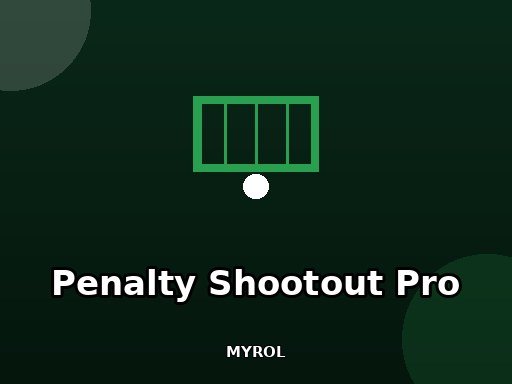
Penalty Shootout Pro is five kicks, one keeper, and a stadium holding its breath. The keeper shuffles from side to side, reading your eyes, and the goal is a big white frame with four corners that feel very far apart when the pressure is on. Every kick is a small gamble: the corners are the hardest for the keeper to reach and the easiest for you to miss, while the centre is safe for you and safe for him. The game is a study in nerve, and the fifth kick is always the hardest.
Independently tested and verified on myrol.my (Nov 2026). Sandboxed in modern HTML5 canvas with zero external app downloads, responsive input latency, and full cross-device compatibility.
What makes the shootout work is the keeper's movement. He does not stand still and wait — he drifts, and his drift is a tell. He favours one side, then the other, and the player who watches him for a second before shooting scores more than the player who blasts it immediately. The aim point is yours to place anywhere in the goal, so the whole game is a decision made in the two seconds between the whistle and the kick.
1. How the Game Works: Core Physics, Rules & Goals
In Penalty Shootout Pro, athletic competition comes alive through fluid player animations and responsive collision physics. The game calculates angle of incidence, spin friction, and rebound velocity off court boundaries with pinpoint accuracy. Timing your defensive blocks and offensive transitions creates a satisfying, rhythmic contest of skill.
Tournament ladders introduce increasingly aggressive AI opponents that adapt to your playing tendencies. Overcoming high-tier rivals in Penalty Shootout Pro requires mixing up shot selections, exploiting defensive mismatches, and executing under clutch overtime pressure.
2. Complete Controls Breakdown & Device Compatibility
On desktop, aim with the arrow keys or the mouse, and shoot with Space or a click. The mouse is the most precise option: the aim point goes exactly where your cursor goes, and the keeper's shuffle is easier to read when your hand is still. On mobile, drag to aim and tap the Shoot button. P pauses the shootout and M mutes the sound. The game runs in any modern browser with no download.
There is no power bar, no timing meter, and no run-up to manage. The entire mechanic is aim and shoot, which keeps the game about the decision — where to place the ball — rather than about executing a complicated input. That simplicity is why the game works so well on a phone: one finger aims, one tap shoots.
3. Pro Gameplay Strategies: 5 Tips for Higher Scores
- Aim for the corners. The keeper cannot reach the top corners. A well-placed corner kick is almost unsaveable.
- Watch the shuffle. The keeper drifts toward one side before each kick. Shoot to the side he is leaving, not the side he is on.
- Vary your placement. Five kicks to the same corner get saved. Mix high, low, left and right so the keeper cannot guess.
- Take your time. There is no shot clock. Watch the keeper for a full second before you commit to a corner.
- The fifth kick is mental. If the shootout is tied going into the last kick, pick your best corner and do not change your mind.
4. Achievement Milestones, Replay Factor & Mastery Loop
The championship progression in Penalty Shootout Pro takes players through multi-tier league divisions and knockout cup tournaments. Winning matches earns sponsorship funds to unlock premier athlete equipment, upgraded stadium venues, and specialized tactical formations.
Tight multiplayer or high-difficulty AI rivalries guarantee intense competitive replay value, giving sports fans reason to return and defend their championship crown day after day.
5. Frequently Asked Questions (FAQ)
Penalty Shootout Pro is the most social game on Myrol. It suits football fans and casual players alike, and it turns into a proper competition when friends take turns and compare scorelines. It is completely family-safe, needs no account, and plays beautifully on phones, where aiming with a finger feels natural.
The stadium is bright and readable on any screen, and the game is light enough to hold 60 frames per second on old phones and Chromebooks. The mute button keeps the crowd sounds silent, and the whole shootout lasts about two minutes — the perfect length for a break.
Frequently Asked Questions (FAQ)
Q: How do I aim my shot?
A: Move the aim point with the arrow keys or the mouse on desktop, or drag on mobile. The ball goes where the aim point is.
Q: How do I shoot?
A: Press Space or click on desktop, or tap the Shoot button on mobile. The keeper dives the moment you shoot.
Q: How many kicks do I get?
A: Five. Score three or more to win the shootout, and each goal is worth 100 points.
Q: Why does the keeper save my shots?
A: The keeper dives toward your aim point. If he is close enough to it when you shoot, he saves it — aim for the corners he cannot reach.
Quick Controls Guide
Aim with arrow keys or mouse. Shoot with Space or click. Five kicks — score more than you miss.