Essential Stack Tower Balance Strategy Guide & Walkthrough
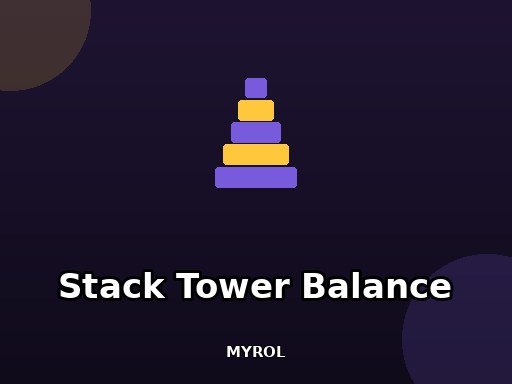
Stack Tower Balance is one tap, one block, one tower. A block slides back and forth above the tower, and you drop it at the perfect moment — the moment when it sits exactly over the block below. Land it clean and the tower grows; land it off-centre and the overhang shears away, leaving a narrower platform for the next block. The tower gets thinner with every mistake, and the game ends the moment a block misses completely.
Independently tested and verified on myrol.my (Nov 2026). Sandboxed in modern HTML5 canvas with zero external app downloads, responsive input latency, and full cross-device compatibility.
The beauty of the game is that it never speeds up unfairly. The block slides at a steady pace, and the only thing that changes is your nerve: the tower gets taller, the platform gets narrower, and the drop that felt easy on block three feels terrifying on block fifteen. The game is a test of timing under pressure, and the pressure comes entirely from the tower you built yourself.
1. Fundamental Rules, System Mechanics & Key Missions
Engineered for instant gratification and frictionless browser play, Stack Tower Balance hooks players through tactile physics and satisfying sensory feedback. Every tap, swipe, or click directly translates into kinetic on-screen motion with zero lag.
Challenge your reflexes, establish rhythmic muscle memory, and see how long you can survive the mesmerizing obstacle gauntlet of Stack Tower Balance.
2. Universal Keybindings & Touchscreen Play Guide
On desktop, drop with Space or a mouse click. On mobile, tap the Drop Block button or tap anywhere on the game area. The input is a single action, which keeps the game playable one-handed on a phone. P pauses the game and M mutes the sound. The game runs in any modern browser with no download.
Because the only input is timing, the game is identical on every device — a keyboard, a mouse, and a fingertip are all equally fast. That fairness is deliberate: the game is a pure test of timing, and no device gives an advantage. The tower is drawn in bright, distinct colours, so each block is easy to see against the dark background.
3. 5 Critical Tactical Tips to Dominate Every Session
- Drop on the way back. The block is easiest to judge as it returns toward the centre. Wait for the return pass, not the first one.
- Aim for the middle, not the edge. A centred drop keeps the tower wide. Chasing a perfect edge alignment risks a miss.
- Slow down as the tower narrows. A narrow platform demands a careful drop. Take an extra slide cycle rather than rushing.
- Watch the overlap, not the block. The only thing that matters is how much of the block sits over the tower. Judge the overlap, not the position.
- One miss ends it. There are no lives. If a drop feels wrong, let the block slide past and wait for the next pass.
4. Progression Loops, Rewards & Replay Value
What makes Stack Tower Balance impossible to put down is its razor-sharp competitive high-score loop. Global percentile rankings, unlockable custom trails, and vibrant cosmetic skins reward players for sustained survival consistency.
Because every run feels fresh and the retry button is instantaneous, chasing that one run where everything clicks into place produces endless hours of exhilarating entertainment.
5. Player FAQ: Common Questions & Answers
Stack Tower Balance is the most accessible game on Myrol. It suits anyone who likes one-tap games — a child can play it, a commuter can play it one-handed, and a competitive player can spend an hour chasing a taller tower. It is completely family-safe, needs no account, and plays beautifully on phones, where a tap is the perfect drop button.
The bright blocks against the dark background stay readable on any screen, and the game is light enough to hold 60 frames per second on old phones and Chromebooks. The mute button keeps the whole game silent for quiet rooms.
Frequently Asked Questions (FAQ)
Q: How do I drop a block?
A: Press Space, click, or tap the Drop Block button. The block falls straight down from where it is.
Q: What happens if I miss the tower?
A: Any part of the block that hangs over the edge falls away. If the whole block misses, the game ends.
Q: Does the game get faster?
A: Yes. The block slides a little faster every five blocks as the level rises.
Q: How is the score worked out?
A: Ten points per block stacked. The tower height is the real record — the taller the tower, the better the run.
Quick Controls Guide
Drop the block with Space, click or tap. Stack it on the tower — miss the edge and the overhang falls away.